Flying Car AI Video Generator
Upload a photo of your car. Get six seconds of it doing something it will never do.
Every stunt here was already shot, with a car-shaped hole in it. Pick a sample, send your car, and it goes into that cut. Stunts with a person in them ask for a photo of your face too. Vertical, 720p, engine sound in the file.
- One photo, any car
- 6s vertical, sound on
- A few minutes
Start here: add your photos
From $4.99 · no subscription
By uploading you confirm the photo is yours, or that the owner is fine with it.
6-second MP4 · 720p · 9:16 · Engine sound · 7-day refund
Your first video is $4.99, paid once, no subscription. If it comes out wrong, email us within 7 days and we refund it.
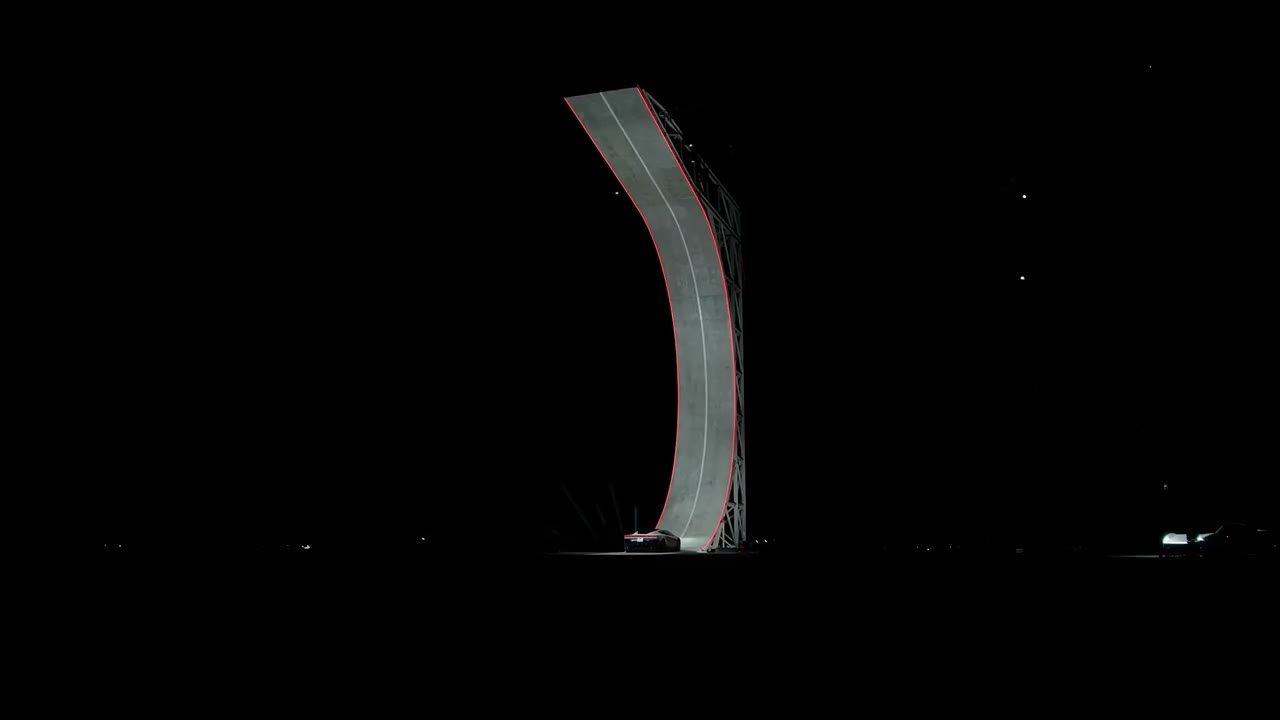
Preview clip: the stunt your car goes through.
Your video will appear here.
Make your car fly without Kling, Blender or a film crew
Every "how to make a flying car video" tutorial walks you down the same road:
The DIY route
With one upload
Search for a prompt that actually works
No prompt: the stunt is already shot
Pay a video model, then burn credits learning it
One photo, one price
Build the ramp, the traffic and the light in 3D
The plate is done
Add engine sound in CapCut and hope it fits
The sound is in the file
Two hours, if the model cooperates
A few minutes
You send the photo. We send the car through the wall.
How to make a flying car video with the car you own
No prompts, no editing, nothing to install.
Upload a photo
Side or three-quarter shot, whole car in frame, daylight. The three formats with a person in them also ask for a photo of your face: daylight, looking at the camera.
Pick a stunt
The samples on this page are the cuts we shoot. Tap use this template and it loads into the box above; leave it alone and the roadblock one is used. One stunt per video.
Pay once
Your first video is $4.99. You get a six-second vertical MP4 at 720p, engine sound on, no watermark, no captions.
Your video shows up in the browser in a few minutes. Close the tab if you like: the order page keeps working without you.
Whose car is going up the ramp?
One photo each. Cabin panic takes your face; the ramp takes your car.
Your daily driver
The Roadster ramp, with your car on it.
Your project car
The Roadster cabin. Your face, its dashboard.
Your dad's car
He will ask how you did it.
What Tesla showed on October 15
Tesla put a Roadster prototype on a curved, inverted ramp at SpaceX's test site in McGregor, Texas, in front of a live crowd and a livestream. Underbody fans held it to the surface on the way up. Cold-gas thrusters turned it in the air and it landed on its wheels. Nobody was driving.
Production is scheduled for 2028. The flying version is invite-only, and Tesla says it is not approved for road use. No price has been announced.
The clip with a Roadster escaping city traffic is a different thing. That one is AI, and it was AI before the real car existed. Most people cannot tell the two apart any more. That is the whole reason this tool exists.
Is a flying car video AI?
Ours is. Every video made here is AI-generated and labeled that way. Tesla's own footage is real footage of a prototype doing short hops on a test site. Both things are true at the same time, which is the confusing part.
Do I need a flying car to use this?
No. You need one photo of the car you already have. Nobody needs a flying car. That is the joke. The video is the point.
Flying car AI, flying roadster, car jump: same six seconds.
People type this four ways: flying car AI, flying car video, Tesla flying roadster video, and a car jumping over traffic. Same tool behind all four. If you came for the ramp and landed on the traffic one, the stunt picker has both.
The sound is already in the file
Engine pull, wind over the roof, tyres biting the ground on the landing. No music, on purpose: a licensed track does not belong in a file you are about to upload. Add the trending sound inside TikTok or Reels if you want one. The clip works muted too, because the stunt reads without audio.
Flying car video pricing: pay once, no subscription
One model, one format, three packs. Pick by how many videos you want.
Paid once. A failed render never counts against your pack, and every order is refundable for 7 days.
Your video stays online for 7 days. Download it right away, and open your account once in that window so the clip is kept.
Why no free trial? Every render is paid GPU time. We would rather sell your first video cheap than give away renders that mostly go unused.
Flying Car Video Generator FAQ
The practical stuff, answered before you ask.
No. Every video made here is AI-generated, and we say so on the order page, in the email and in the file name. The car is yours. The jump did not happen. Label it before you post it.
The demonstration on October 15, 2026 was real: a Roadster prototype on a curved ramp at SpaceX's test site, in front of a livestreamed crowd, with nobody driving. The clip of a Roadster weaving through city traffic that came after it was AI. We answer the whole question on the real-or-AI page.
No. MyCarFly is an independent creative tool. It is not affiliated with, endorsed by or sponsored by Tesla, SpaceX or Elon Musk, and no Tesla badge, logo or press footage appears in anything we make.
A side or three-quarter shot, whole car in frame, daylight, nothing blocking the wheels. Keep the long edge at 800 pixels or more. Night shots and heavy filters make the car drift when it goes into the stunt. If the format has a person in it, the second photo is you: face clear, looking at the camera, daylight, no sunglasses and no group shot.
The model is told to leave it unreadable, and in practice it comes out smeared. It is not a guaranteed blur, so if the plate takes up a lot of your photo, check the clip before you post it. If you spot a readable one, send the order number.
Only with the owner's permission. You are uploading a photo and asking us to run it through a scene, so the same rule as posting the photo yourself applies. For paid ads or brand campaigns, write to us before you order.
Yes, for the stunts that have a person in them. Pick one of those and a second box appears asking for a photo of your face, and the model puts you in the shot: daylight, looking at the camera, nobody else in frame. One of them, Cabin panic, keeps the car from the reference clip, so it takes only your face and no car photo. The stunts without a person ask only for your car.
The one you pick. Seven stunts ship today: Day 1, They can't stop me, Unbothered, Over traffic, Ramp flip, Cabin panic and Flip fail. Three of them open on a person, so those also ask for a photo of your face. Every stunt here is a clip that was already shot, with a car-shaped hole in it; tap a sample and it loads into the upload box. Upload a car without picking one and the roadblock cut is used. Changing the stunt after the render costs another video.
A few minutes at normal load, longer when the queue is busy. The order page shows where your render is, and you can close the tab: it keeps working without you.
A six-second vertical MP4 at 720p, 9:16, with engine and wind sound already in the file. No watermark, no captions, no logo. Download it and post it as is.
No. One-time payment, no auto-renew, nothing to cancel.
Email us within 7 days and we refund the order. Tell us what went wrong, like a wheel that melted into the ramp or a badge that came out as mush, and that note is also how the next render gets better.
It goes into private storage and is used only to render your video. It is deleted within 24 hours of the render finishing, or sooner if you ask. It is never shown publicly and never used to train anything.
Seven days after it is ready, so download it the same day. After that the file is cleared from our servers. Your account is where the order, the downloads and the re-renders live: open it once inside those seven days and the clip is kept there for good.
Yes, that is what it is for. Vertical, six seconds, sound already in it. Two things make it land better: add a licensed sound inside the app if you want one, and label the video as AI-generated.
One model, one format, one price. We do not run a second render pipeline for landscape, we do not give away free renders, and there is nothing to subscribe to. Your first video is $4.99.
Two different things get called that. One is a real car hopping on a test ramp, filmed on a closed course with people watching. The other is a video like the ones here: a photo of a car, a stunt that was never driven, six seconds of it. People search for the first and buy the second, which is why the file we hand you is labelled as AI.
No, and there is nowhere to paste one. Every stunt here is a pre-shot reference: you pick one, send a car photo (plus a photo of your face if the stunt has a person in it), and the model puts your car through it. Prompts are what turns the free-model route into a two-hour evening of retries.